Nexpath: AI guidance extension for chat-driven coding workflows
Nexpath, developed by ParseOS, is a Chrome extension that provides a behavior-guidance layer for AI-powered, chat-based development. It helps developers balance rapid natural-language iteration with software discipline by monitoring session context and adapting guidance to a developer's role and rhythm. The app targets vibe coders, indie hackers, and founders who use conversational coding tools and want process oversight that fits creative, fast-paced workflows.
What Nexpath positions itself to do for AI-first development
The tool acts as a digital pair programmer focused on process rather than raw code output. It surfaces lightweight decision sessions at key transition points, flags skipped specification reviews, and identifies missing tests so the development process stays visible during conversational workflows. Those behavior-focused interventions aim to preserve engineering standards during fast prototyping without replacing the developer's chosen coding agent.
How Nexpath treats sensitive data and developer control
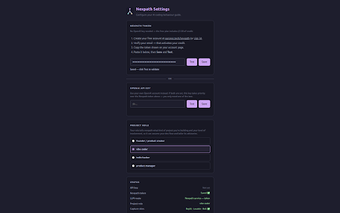
Nexpath follows a local-first architecture: API keys and user settings are stored in the browser and there is no external backend server involved. Prompt text is routed directly to the external model endpoint you configure, and the extension supports use of a personal OpenAI API key so developers retain control over which account processes their prompts.
Which AI-native environments the extension integrates with
The extension is specifically optimized for AI-native editors such as Replit, Lovable, and Bolt.new, where conversational agents drive most of the workflow. In those environments the tool adapts suggestions based on session rhythm and role context, and it is intended to intervene at critical workflow boundaries rather than constantly annotate code.
How Nexpath fits different developer workflows and trade-offs
The interface is described as lightweight and designed to avoid breaking a developer's creative flow, making it suitable for single-developer prototyping and small teams using chat-driven agents. ParseOS presented the utility at AI Hackfest 2026, signalling a focus on the emerging AI-native development community. Developers who rely primarily on traditional IDE-only workflows may find its integrations less relevant.
A focused tool for AI-native builders who accept occasional process prompts
Nexpath is a practical option for AI-first developers who want a behavior layer that keeps rapid, conversational development aligned with engineering basics. Expect a trade-off: occasional interruptions that emphasize discipline over uninterrupted flow. Practical tip: define your own inspection cadence so the tool's checkpoints match your iteration tempo and team review habits.